Difference between revisions of "Variometer/en"
Jump to navigation
Jump to search
(Updating to match new version of source page) |
(Importing a new version from external source) |
||
| (2 intermediate revisions by the same user not shown) | |||
| Line 1: | Line 1: | ||
<languages /> | <languages /> | ||
| + | <br /> | ||
---- | ---- | ||
| − | [[File:variometer.jpg|caption|left]]The variometer was coded for better performance when using '''external devices.''' | + | [[File:variometer.jpg|caption|left|250px]]The variometer was coded for better performance when using '''external devices.''' |
| Line 19: | Line 20: | ||
Sound alerts are supported for the variometer. | Sound alerts are supported for the variometer. | ||
| − | + | If you wish to enable them, do this from the «Settings» panel: | |
[[File:variometer2.jpg|frame]] | [[File:variometer2.jpg|frame]] | ||
Latest revision as of 17:51, 17 December 2015

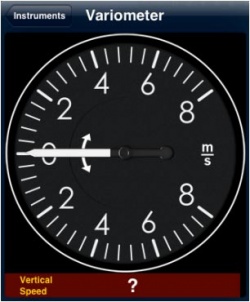
The variometer was coded for better performance when using external devices.
However, it will display information by computing the data provided by a GPS antenna (external or internal). The information will show at the bottom bar of the instrument.
So far, the following devices are compatible:
- AHRS g mini
- Flytec SensBox
- ASI Flynet2
If no signal is received, then a question mark will show as vertical speed (like in the screenshot).
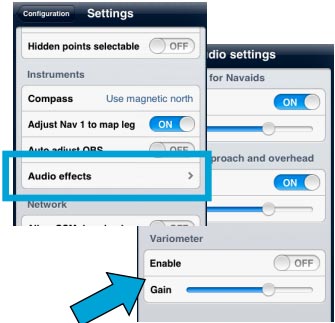
Sound alerts are supported for the variometer. If you wish to enable them, do this from the «Settings» panel:

Back to index
