Difference between revisions of "Other devices"
Jump to navigation
Jump to search
(Marked this version for translation) |
|||
| (2 intermediate revisions by the same user not shown) | |||
| Line 4: | Line 4: | ||
<br /> | <br /> | ||
---- | ---- | ||
| − | Other devices can work with Air | + | Other devices can work with Air Navigation Pro by activating them in the '''Sensors''' panel. |
So far, these ones are compatible: | So far, these ones are compatible: | ||
| Line 38: | Line 38: | ||
<!--T:9--> | <!--T:9--> | ||
[[File:flytec.jpg|caption|left]][[File:flytec2.jpg|caption|right]] GPS signal | [[File:flytec.jpg|caption|left]][[File:flytec2.jpg|caption|right]] GPS signal | ||
| − | <br> | + | <br /> |
Pressure | Pressure | ||
| Line 63: | Line 63: | ||
<!--T:15--> | <!--T:15--> | ||
| − | <br/> | + | <br /> |
| − | <br/> | + | <br /> |
More info at: http://www.asinstrument.ch/pages/flynet2-vario | More info at: http://www.asinstrument.ch/pages/flynet2-vario | ||
Latest revision as of 17:29, 6 November 2015
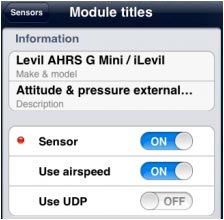
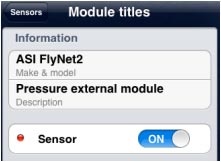
Other devices can work with Air Navigation Pro by activating them in the Sensors panel. So far, these ones are compatible:
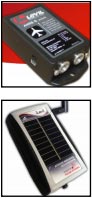
Levil technology


- AHRS g mini
Altitude Pressure Airspeed UDP connection
- iLevil Altitude Pressure Airspeed UDP connection
More info at: http://www.aviation.levil.com/
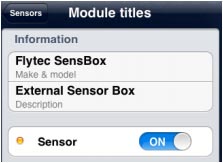
Flytec SensBox


GPS signal
Pressure
Altitude
More info at: http://www.flytec.ch/en/products/flight-instruments/sensbox/overview.html
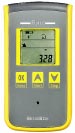
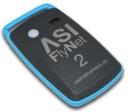
ASI FlyNet2


Works as an External Variometer
More info at: http://www.asinstrument.ch/pages/flynet2-vario
Back to index
