Difference between revisions of "Create user waypoints/fr"
Jump to navigation
Jump to search


(Created page with "Une fois que vous avez crée votre waypoint, il devrait apparaître sur la carte. Exemple ci-dessous. <br />") |
(Created page with "caption|left|250px <br />") |
||
| Line 30: | Line 30: | ||
[[File:createwp4.jpg|caption|left|250px]] | [[File:createwp4.jpg|caption|left|250px]] | ||
| − | <br/> | + | <br /> |
Revision as of 16:28, 27 October 2015

Un «user waypoint» peut être créé comme suit:
- En appuyant pendant 2 secondes sur la «carte défilante».
- Depuis le menu «Custom waypoint Editor» dans la barre d’outils.

Une fois que vous avez crée votre waypoint, il devrait apparaître sur la carte. Exemple ci-dessous.


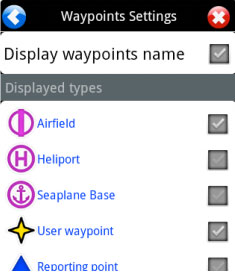
If your waypoint does NOT appear on the map, then check that the type of waypoint you created is selected in «Map Options».

Back to index.
