Translations:Route planning/12/en
Jump to navigation
Jump to search
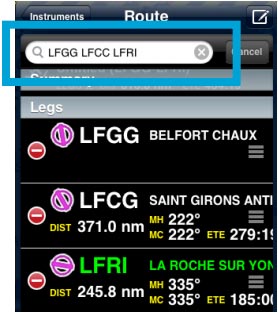

To start creating a route:

- Toggle to «Edit mode», a yellow and black striped bar should appear at the top of the moving map. A search field will also appear on top of the «Route» module.
- To add waypoints, press on waypoints of your choice on the moving map. In the waypoint popup, press the «add to route» option. A yellow star should now appear on the moving map and your waypoint should be in the «Route» list.
- Alternatively, you can input one or more waypoint identifiers in the search field on top of the «Route» module and press return.
Multiple identifiers must be separated by a space.
